How To Get The Network Key of your Netgear Router

71
Where can I get my network key?
This is a very common question or problem that you will encounter if you have a wireless network. So I have decided to make a hub for this. This hub will give you the steps on how to check or get the network key of your Wireless router. The steps here can be applied to old or new versions of Netgear wireless routers, most likely they will have the same or should I say almost the same way on how to check or get the network key. This step is very easy, just follow the steps below. I copied this from the forum where I have posted it.
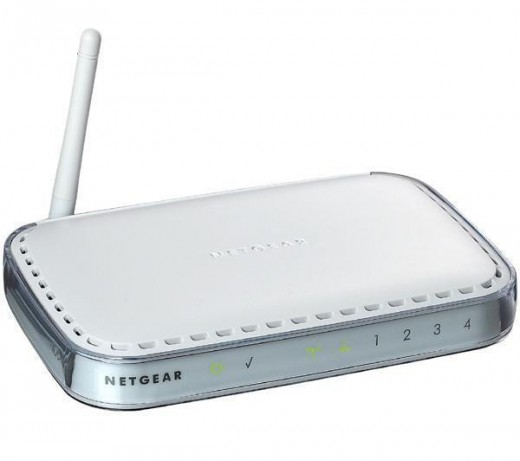
To answer the question "Where can I get my network key?" Your network key is set or saved on the router setup page. To get this, just open your browser (Internet Explorer or Firefox) on the computer that is wired directly to the router. Then type in the address bar http://192.168.1.1/or http://192.168.0.1/ the address will depend on the version of your router, or just try both, it will ask you for a username and password, by default the username is admin and password is password. Once you're on the setup page of your router click on the wireless settings on the left hand panel. Then look for the wireless security settings - if the security is set to WEP - Key1 will be the network key or which ever has a tick. Or if the security is set to WPA the passphrase is your network key. Now that you know the network you can now type it once you are prompted when try to connect to your network.
I hope this has been helpful and informative to all of you.
Thank you for reading and have a nice day!
Amazon Price: $30.00 List Price: $58.99 | |
![]() | Amazon Price: $24.99 List Price: $65.99 |
![]() | Amazon Price: $29.99 |
![]() | Amazon Price: $38.55 List Price: $39.99 |
CommentsLoading...
thanx for this information.i tried it and it works.thanx again. if you want to know more about netgear ranges please visit
http://www.blueunplugged.com/c.aspx?c=41065
its really good.....
worked wicked man well done! i used user ass my pass and password ans the P@ss obviously
thx
i'm about to try looking up the key the way you said, but i'm afraid it might disconnect other computers that are using the wireless network.my point is, if i change the password, do you think that it will disconnect the computers that are currently using the wireless network?
Thank you so much for the information. I help me config my old laptop .....
well i typed the passphrase in and it still didnt work
what if youve already changed the password etc. but forot it :/ my bad
hi
i am also having trouble with the above router i bought a new wireless adaptor today for my sons comp upstairs installed cd etc etc but will not pick up the downstairs above named router :( asks for network key which is the passphrase virgin media gave us still no working :( just get the message " the network password needs to be 40bits or 104 bits depending on your network configuration" ..........im a not tech savvy mum :( and have now got a frustrated teen who wants to use his comp
i love you!!!!!!!!!!! !!!!
(\_/)
('-')
('')('') xoxo
many thanks.... worked perfectly...
wish there was more of this kind of useful help!
Thanks this helped a lot!
i just keep getting this and dont no any of the info
Wireless Setup
WGR614V9
V1.0.11_1.0.1VGUK
Wireless Setup
Name (SSID):
Security Passphrase (WPA-PSK): (8-63 characters)
Channel: 01 06 11
Router Setup
Router Password: (8-63 characters
Thank you mate!!! One thing: "http://192.168.1.1/or http://192.168.0.1/ " didnt helped me (donno why) but www.routerlogin.net worked perfectly.
Thanks again!
Hi there! My daughter was trying to get her computer to work wirelessly and she used my computer to see if she could figure it out. She did something to the network key and I think I need to reset it. I don't know what it was so, can you tell me what to do for that? Thank you!
Thank you so much for you feed back; it was very useful.
Damn dude worked like a charm
Hey, I can't access the sites http://192.168.1.1/or http://192.168.0.1/
Please help I forgot my WEP key.
Dude- I L-word you. You are a computer "giving" god! I was fighting with everyone on the phone to get this help. (Netgear, TimeWarner, Dell, everyone!) I had to dump my whole computer and reset to factory settings.
Big Kisses. Big Hugs! Big Thanks!
... ok, I'm done gushing now...
You're a gem! I searched for hours for a simple description on how to do this. Your description was clear and easy, and it worked straight away. Thank you!
Hi Curly-Live!
Need help desperately. I bought the netgear router in 2007. Since my company is transfering to a different wireless system, I'll need to find out what my Network Key is (whatever it is). Netgear technical support couldn't help me. I was trying to follow your instruction but couldn't open either http://192.168.1.1/or http://192.168.0.1/
Is this method still valid? thanks!
Very helpful thanks.
I tried both http://192.168.1.1/ and http://192.168.0.1/ and neither will let me access it when I type in the username and password.
This really helped me. I am so happy. Thanks brother. Lola http://192.168.0.1/ is the only one that worked for me. Make sure you use lower caps when typing in admin(username) password(type it in dont just click it because you see it say password) and it should work. I would. good luck
Thank you so much! Your information perfectly answered my question, was clearly written, easy to follow and very much appreicated. Thanks again!
you are awesome
Re: WGR614.... After pressing the factory reset button look under the netgear it has everything you need printed on the bottom: After reset click connect and when the network key pops up type in preinstall, this will take you to the netgear page which in turn gives you the option to rename your network as well as your key. username and passwork of factory settings are also printed on the bottom :o) So you dont need to know a network key to reset it!
OMG I LOVE YOU THANKS!!
This was great. I have been trying to get into my network for months with my new computer and your instructions led me right to it.
thanks much!
im trying to hook up my ps3 with a router but it keeps asking me for my WEP key and i have no clue what that is.
thankyou, thankyou, thankyou,,, it worked and now i have wireless again instead of running wires all through my house for my laptop..lol.. genius
Wireless Settings
Wireless Network
Name (SSID):
Region:
Channel:
Mode:
Security Options
None
WEP
WPA-PSK [TKIP]
WPA2-PSK [AES]
WPA-PSK [TKIP] + WPA2-PSK [AES]
Security Encryption (WEP)
Authentication Type:
Encryption Strength:
Security Encryption (WEP) Key
Passphrase:
Key 1:
Key 2:
Key 3:
Key 4:
This is what i get i dont know how to get the actual key PLEASE help!!!!
Hi, please help, am trying to connect my sons wii to the internet but my wireless connection has a padlock sign beside it, i'm assuming I need a network key to unlock this but don't know what this is and have tried going on to the site http://192.168.1.1/ and http://192.168.0.1/ but have not been able to get onto them for some reason...
THANK YOU very much for posting this information - I was going in circles trying to help my son reconnect the xbox live - I needed the wpa etc...and your link truly helped me out!
worked like a champ thank you my wife can now use her laptop you rule
hi. i tried 192.168.1.1 and it didnt accept the login credentials- i've typed admin and password multiple times but it just wont work. help?
hi. i tried 192.168.1.1 and it didn't accept the login credentials- i've typed admin and password multiple times but it just wont work. what to do now?
it says the password which is password and the username: admin is wrong ? do you kno why?
Worked great! I think the problem is that people don't know that the PASSPHRASE is also the KEY.It was in my case, and I had a copy of that passphrase which I had created myself.
Thanks so much for the easy to follow help.
I love you too...but not in a creepy way!


sathish 3 years ago
ert members